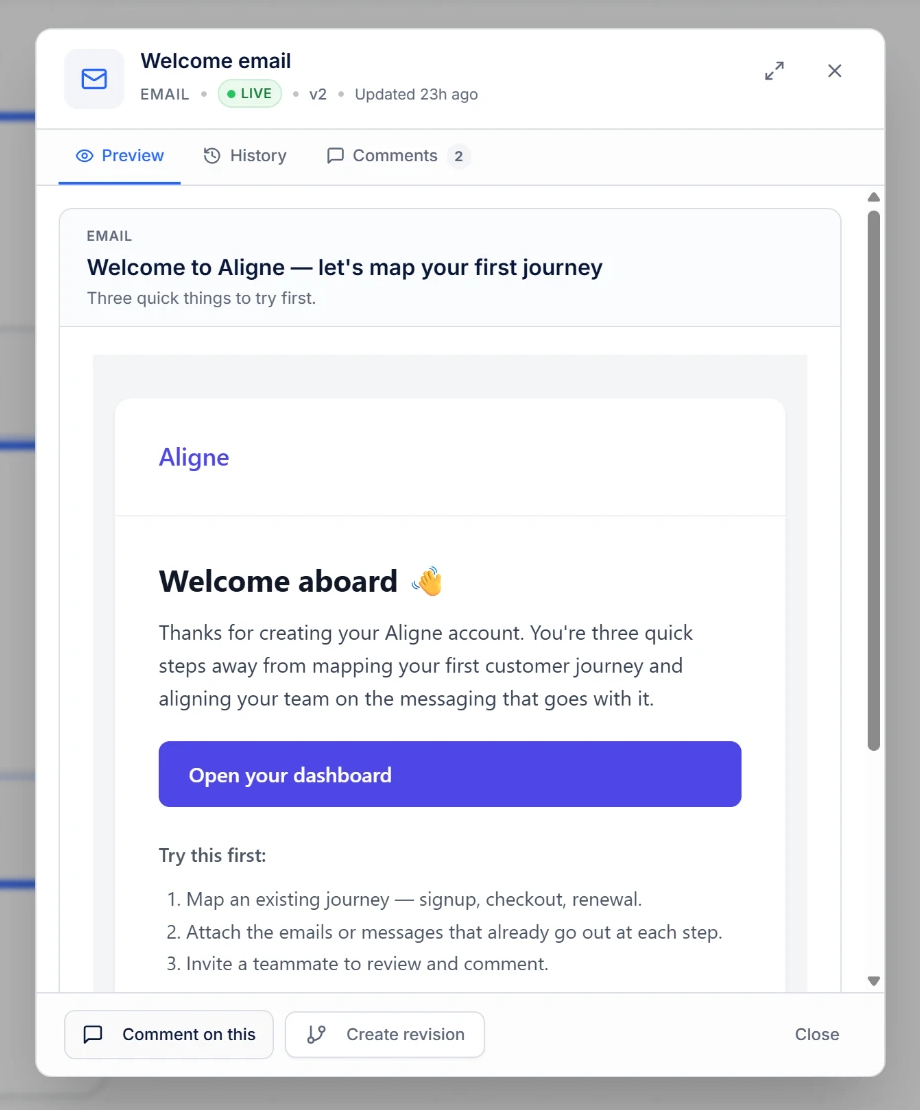
The actual message, not a label
Attach emails, SMS and push notifications to their journey steps. Inspect the content in context, alongside the decision or wait that comes before it.
Aligne for lifecycle, CRM & marketing operations
Connect the journey logic, the emails customers receive and the conversations behind every review. One shared view, from signup to activation and beyond.
Free includes journey mapping, attached communications and read-only sharing.
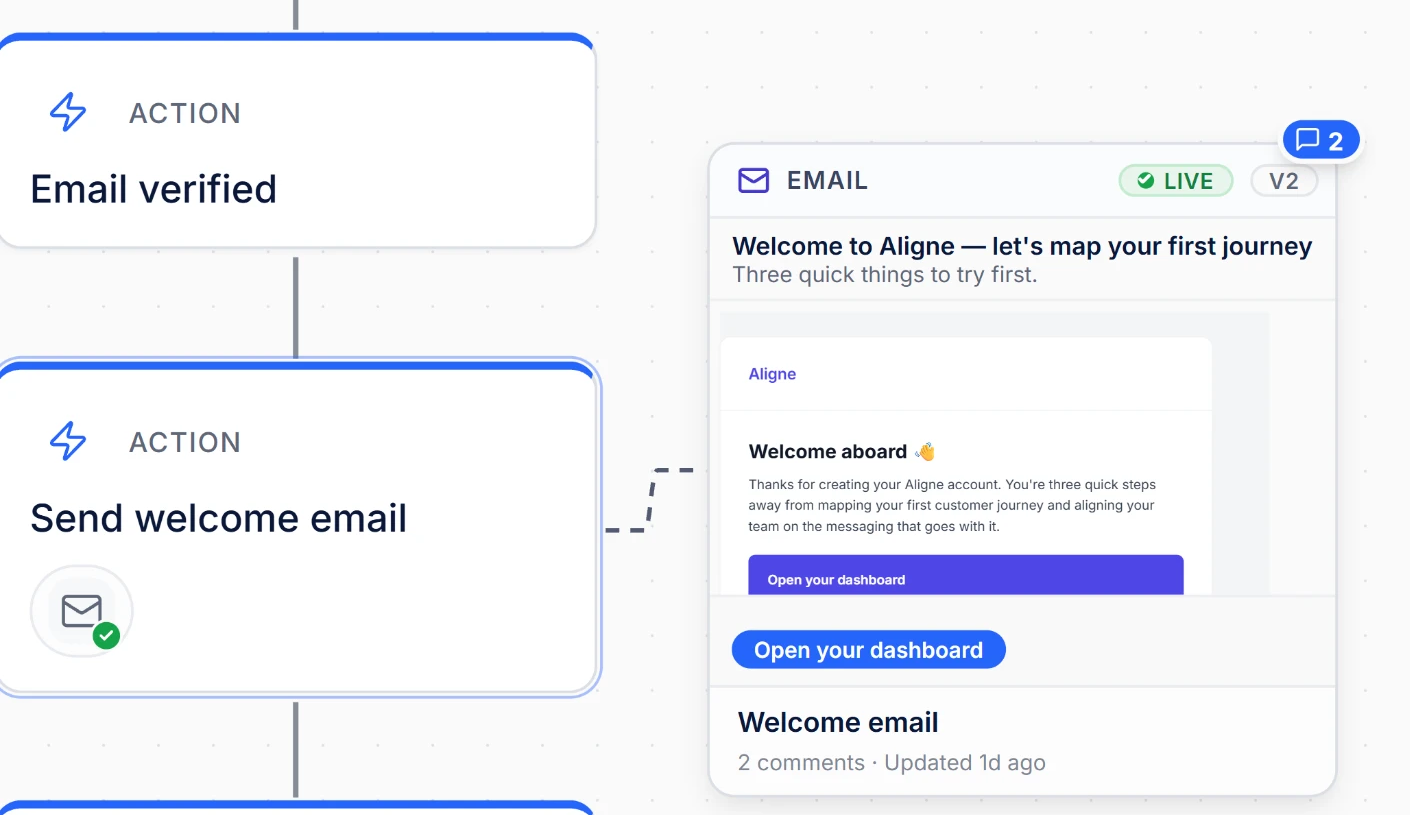
Close the context gap
A box labelled “send welcome email” cannot tell a reviewer what the email says. When diagrams, message copy and feedback live apart, a change to one can leave the others behind.
Aligne keeps the actual communications alongside the workflow. Document an onboarding sequence, a verification branch or a re-engagement path without making stakeholders chase separate documents.
Logic meets experience
Attach emails, SMS and push notifications to their journey steps. Inspect the content in context, alongside the decision or wait that comes before it.
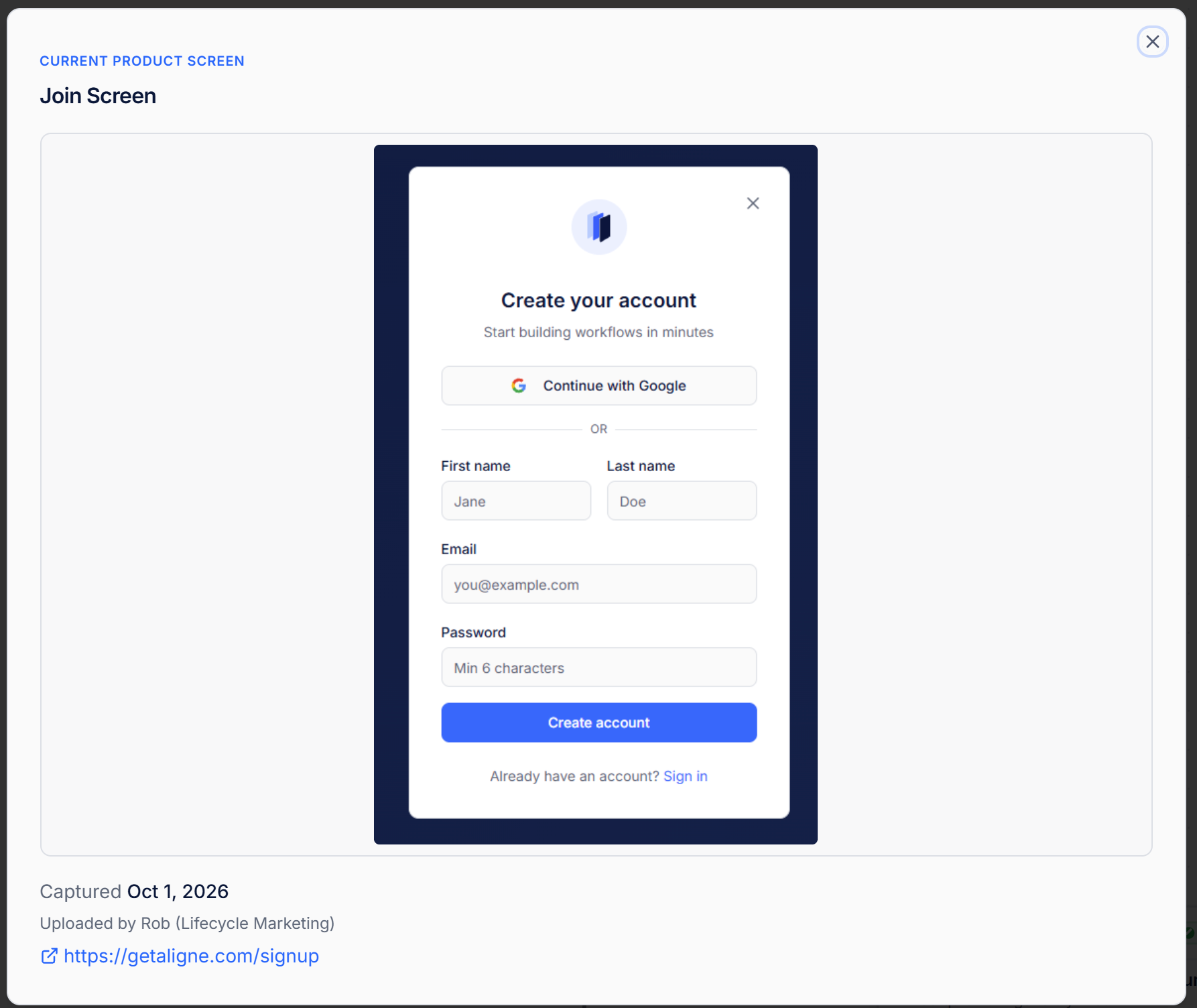
Add Product Screens to the relevant steps inside your workspace. Review the signup form, confirmation screen and follow-up message as parts of the same experience.
Explore Product ScreensJourney logic
Use start, action, decision and wait steps to document entry conditions, timing and message sequences. Label branches so reviewers can follow different outcomes. These are documented rules—not an automation that executes them.
For a focused lifecycle example, read designing an email verification journey. Product Screens stay within the workspace; the published example shows journey logic and public communications.
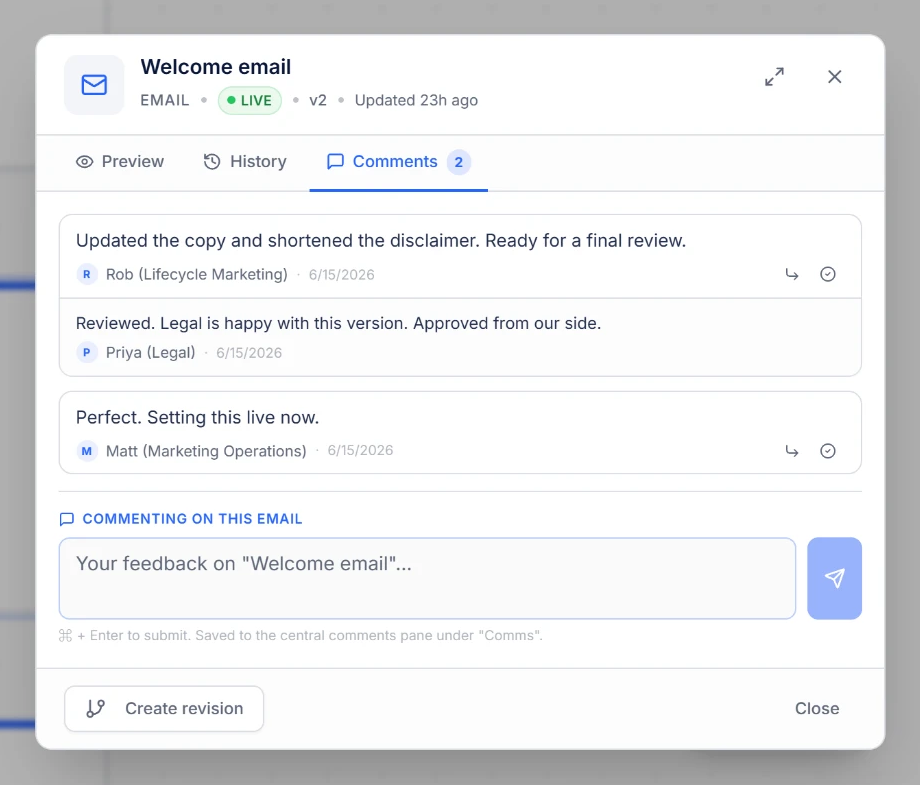
Review with context
On Pro and Team, leave comments on specific steps and communications, reply to feedback and resolve discussions. Communication review states distinguish draft, review and live content without a separate approval-routing system.
Team adds flow and communication version history, Product Screen History and the audit log. Free and Pro do not include version history or the audit log.
Compare collaboration and governance plansKeep executing campaigns in your ESP or marketing automation platform. Aligne documents the journey and its communications; it does not send messages or synchronize campaigns with external platforms.
Map and share up to three flows with one creator and three viewers. Attach your customer messages and product screens. Add collaborative comments with Pro, or governance and history with Team.
Already working in a spreadsheet? Bring your structured Excel journey into Aligne.
Start mapping for free