Product Screens
See the experience.
See the whole journey.
Bring the real screens customers see directly into the journey, alongside the workflow logic and communications that surround them.
The missing layer
A journey map should show what the customer actually sees.
Most journey maps document that a screen exists. The screen itself lives somewhere else, usually in a design file, slide deck, ticket, or screenshot folder.
Product Screens keeps the real customer experience attached to the step where it happens, so the journey shows more than boxes and arrows.
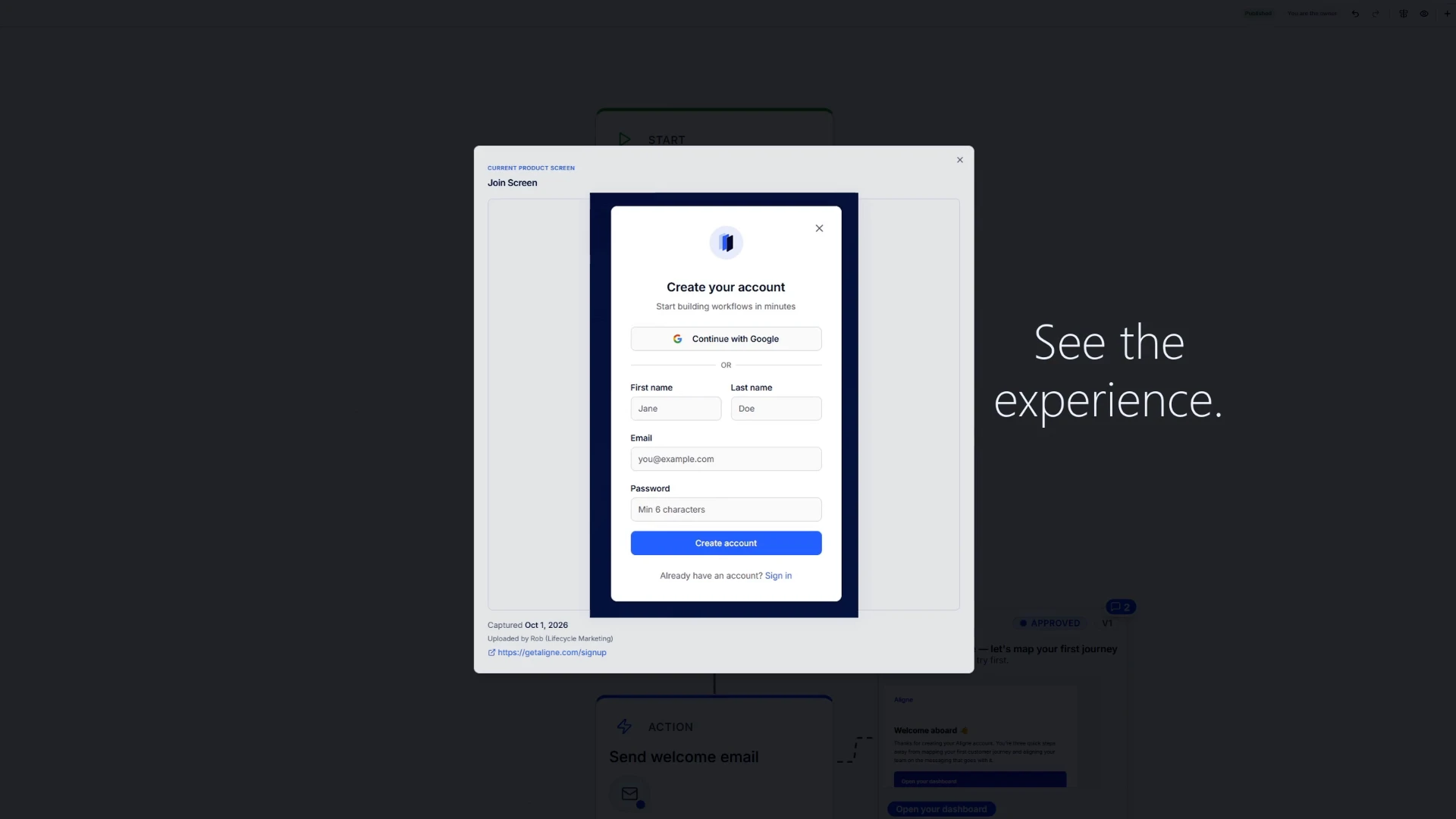
The real experience
Add the screen customers actually see to the step where it belongs.
In context
See the product experience alongside the workflow logic and customer communications that surround it.
The whole sequence
Move from one customer interaction to the complete journey without losing the context around it.
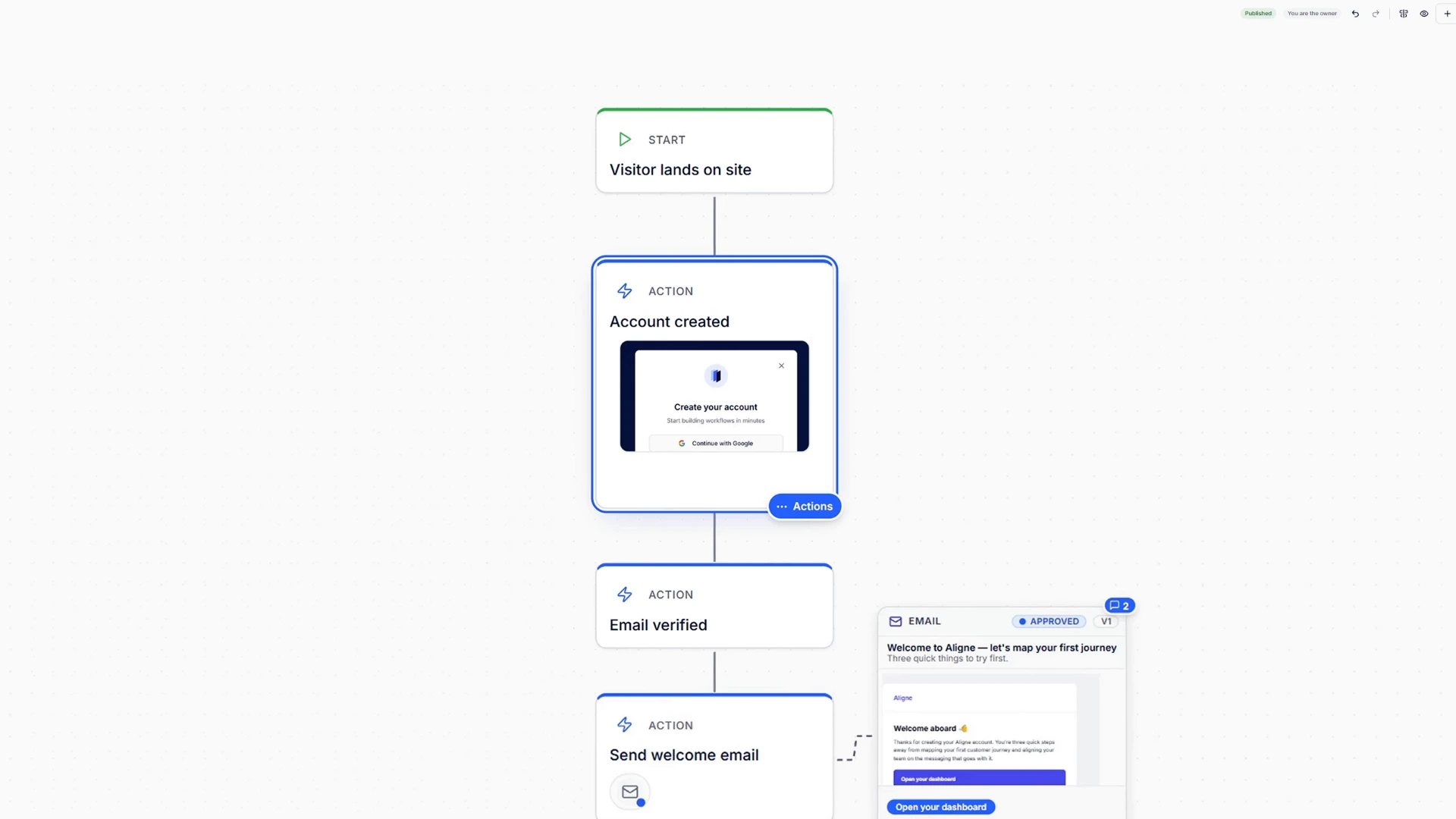
One screen is useful.
Context makes it actionable.
A signup form, confirmation screen, or account state only tells part of the story.
In Aligne, that screen can sit inside the same journey as the actions, decisions, emails, SMS, and other touchpoints around it.
That gives teams one shared view of what the customer experiences and where it happens.
Why it matters
Stop reviewing the experience in pieces.
Without Product Screens
- The journey says a screen exists.
- The screenshot lives somewhere else.
- The communications live somewhere else.
- Reviewers have to reconstruct the experience themselves.
With Product Screens
- The screen sits where the customer sees it.
- The surrounding journey stays visible.
- The communications around it stay in context.
- Everyone can understand the sequence from the same view.
Go deeper
Customer journey mapping with the actual screens included.
See why screenshots add an important layer of context to customer journey mapping, and how to use them without turning the journey into another disconnected artifact.
See what customers see, where it actually happens.
Start with one journey. Add the real screens and communications. Give your team one place to understand the whole experience.