The workflow, the message, and the approval — on one screen.
Your workflow lives in Miro. The emails live in Braze. Screenshots live in slide decks. Approvals live in Slack. Aligne brings journey logic, product screens, communications, and review into a single view so your team stops guessing what actually shipped.
Not sure where your journeys stand? Take the 3-minute Journey Health Assessment
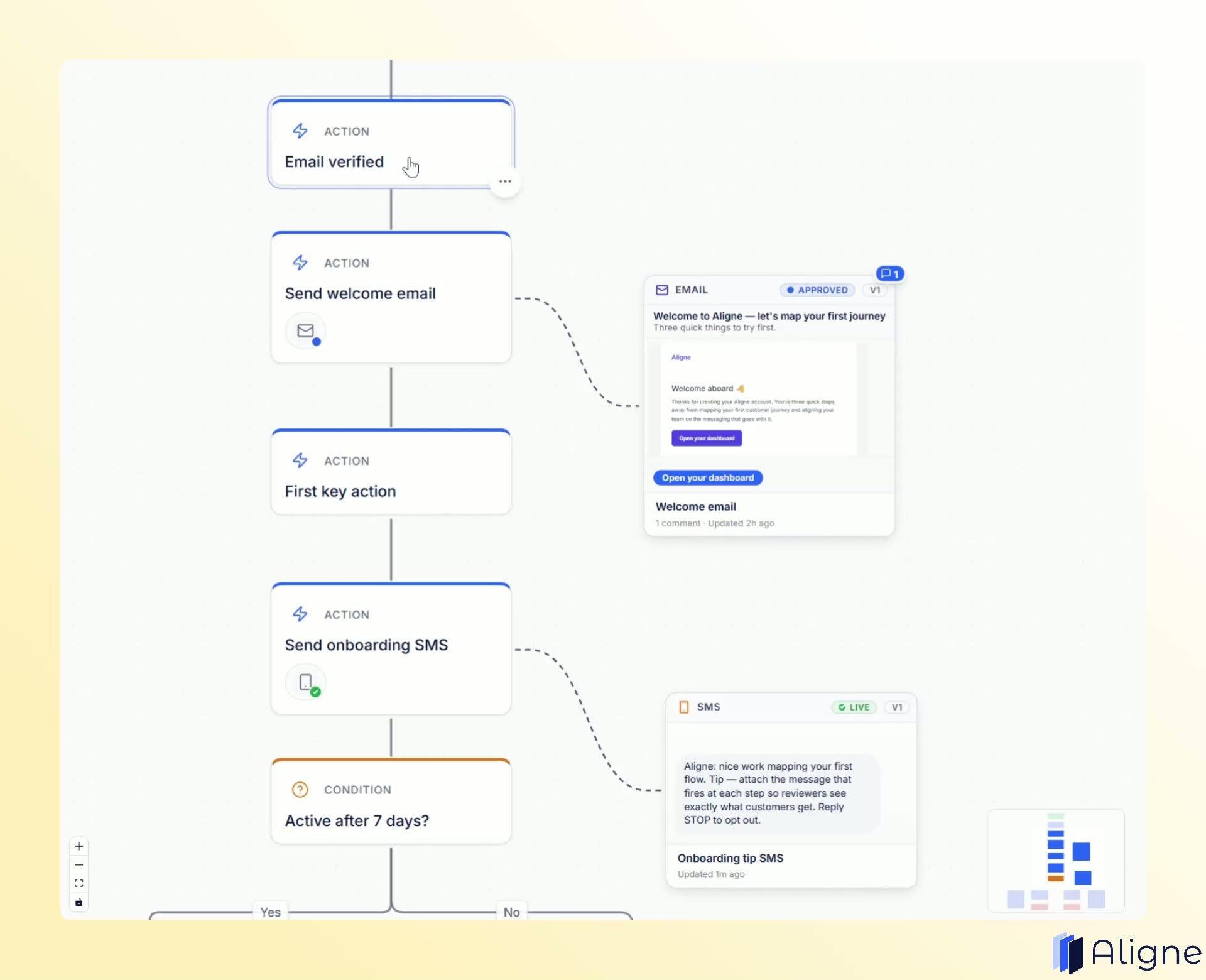
What you actually see
The exact email, SMS, or push — sitting on the step that sends it.
Explore a real Aligne flow. Pan around the journey and click any email or SMS to see the communication attached to that step.
Every launch turns into archaeology.
The journey lives across five tools. Nobody's sure which version customers actually get.
The workflow is in a stale Miro board
Last touched two quarters ago. Half the team has stopped opening it.
The copy is buried in Braze
What legal reviewed in a doc and what actually sends live are one export apart.
The approvals are in a Slack thread
A DM here, a Google Doc from three weeks ago there. Every reviewer restarts from scratch.
How Aligne works
Three steps to a journey your whole team can actually review.
- 1
Build it or import it
Start on the canvas, or import an existing journey from Excel. Bring your existing structure into Aligne instead of rebuilding it manually.
- 2
Attach the real experience
Add the product screen customers see and the exact email, SMS, or chat they receive at each step.
- 3
Review in context
Comment, approve, and version — all in one view.
Where the workflow and the message finally meet.
Aligne sits above Miro, Braze, and Slack — one shared view your whole team can trust before you hit send.
The real experience, attached to the step
Open any node to see the product screen customers see and read the exact email, SMS, push, or in-app copy — not a placeholder, not a link out to another tool.
Draft or live, never in doubt
Every communication carries a status. Stakeholders stop asking "is this the version that ships?"
Approvals stay on the step, not in Slack
Legal sign-off, marketing pushback, CS notes — they all live next to the copy they reviewed.
A version history you can hand to compliance
See what changed, when, and who approved it. No more reconstructing history from screenshots.
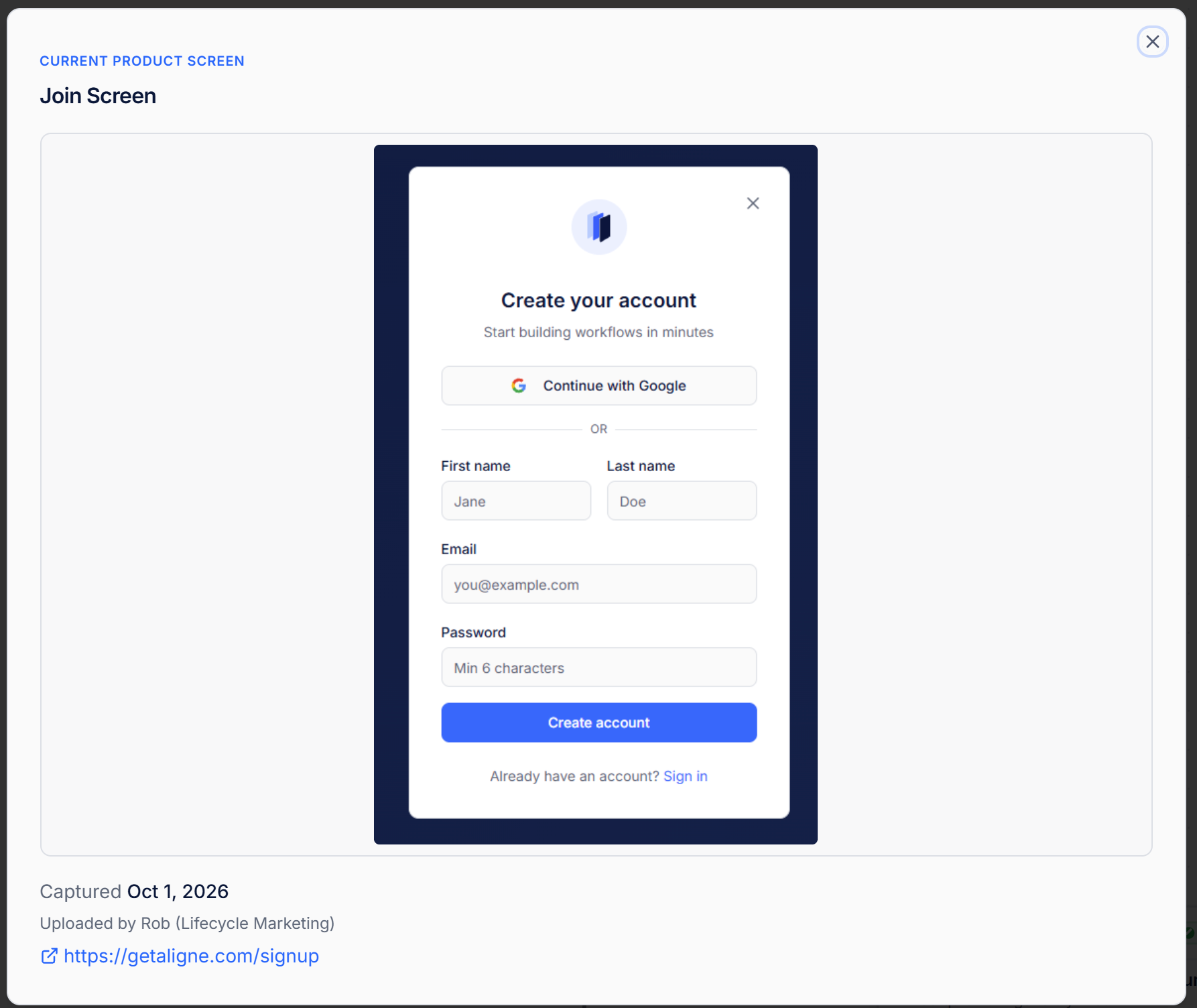
Every step can carry the real screen customers see. Explore Product Screens
For the people holding the journey together
Lifecycle, CRM, Marketing Ops, Product Ops, Compliance, and CS teams reach for Aligne when the message has to be right.
Lifecycle & CRM
Ship onboarding, retention, and winback flows without wondering which draft went live.
Marketing & Product Ops
Give every stakeholder one link that shows the whole sequence — copy, timing, and logic.
Compliance & Legal
Sign off next to the exact copy you reviewed. The audit trail writes itself.
Customer Success
See the automated messages a customer already got before you write the human follow-up.
What we believe
The principles behind Aligne
The workflow and the message belong on the same screen.
Approvals should live where the work does — not in a Slack thread.
Everyone reviewing a journey should see the same version.
Stop guessing which draft went live.
Start free. Build one journey, or bring one you already have. Invite the team when the whole story lines up.