Aligne vs UXPressia
Mapping the experience, or managing the communications?
UXPressia is a purpose-built customer experience platform for journey maps, personas, and service blueprints. Aligne is built for lifecycle, CRM, and marketing ops teams who need the journey they run and the actual communications inside it in one place.
No credit card required.
Last reviewed:
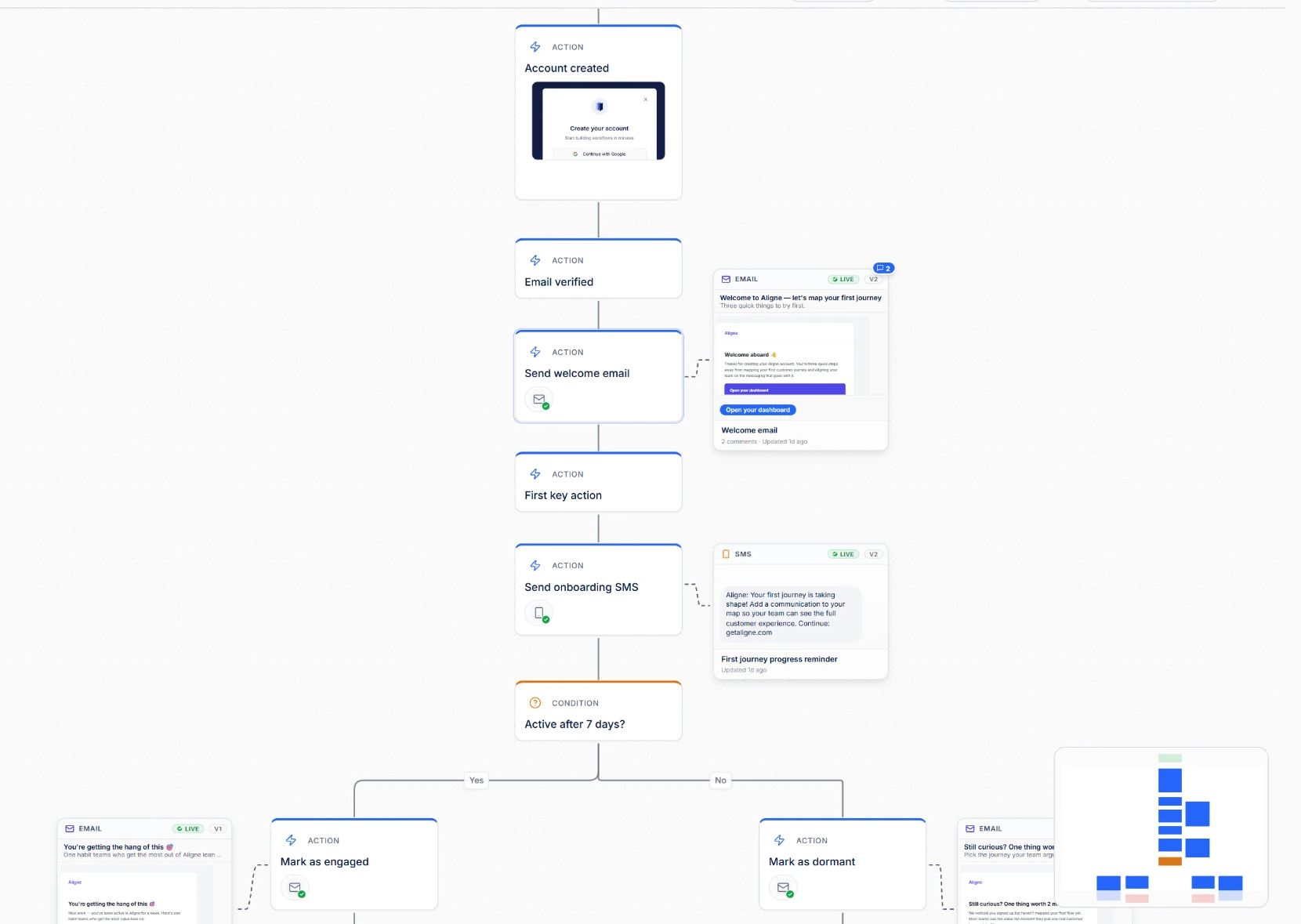
UXPressia maps what the customer experiences. Aligne connects the marketing journey to the communications creating that experience.
Both products take customer journeys seriously — they just answer different questions. UXPressia is strong when the goal is to understand and align on the experience: personas, touchpoints, research insights, service blueprints, and the story a whole organisation needs to see. Aligne is focused on the operational layer underneath it: the lifecycle and CRM journeys a marketing team runs, with the real email, SMS, chat, and in-app content attached to each step.
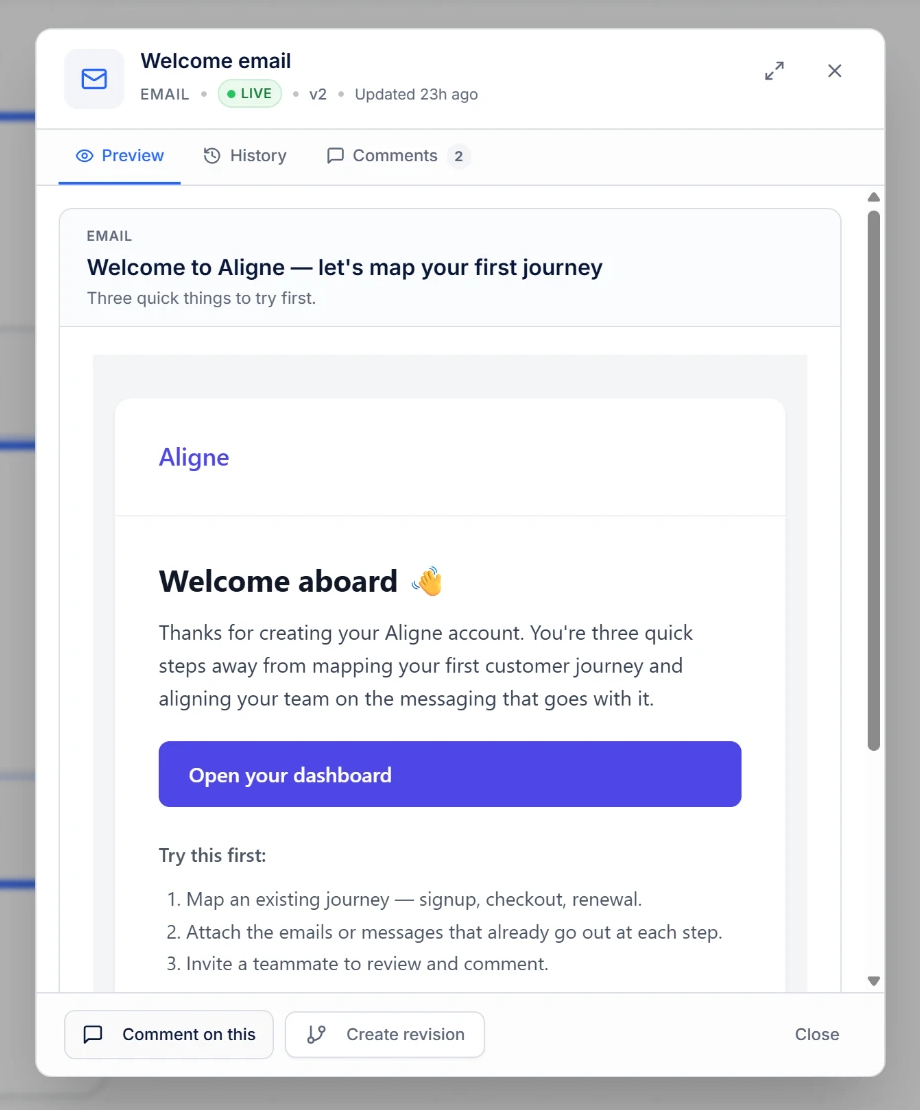
Which version is live?
A map of the experience answers what the customer goes through. This question is about the words in the message.
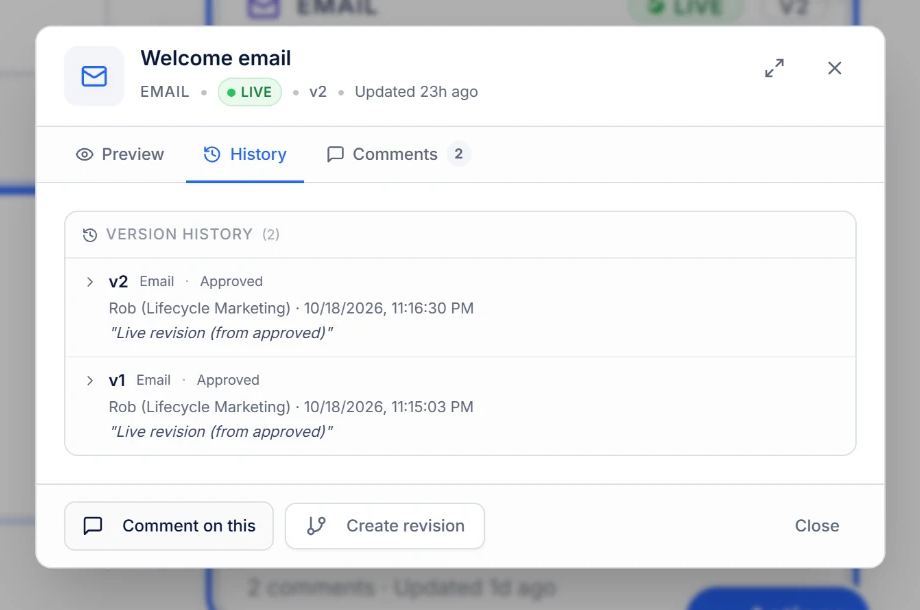
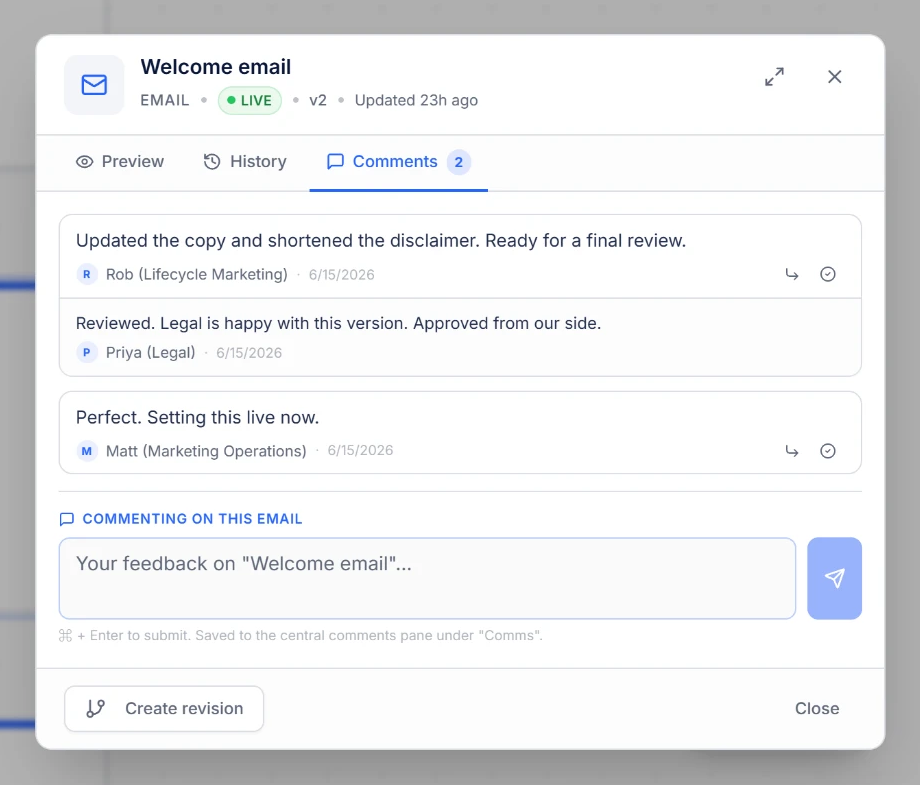
In Aligne the answer sits on the step: the version your team marked Live, its revision history, and notes on what changed — next to the workflow it belongs to.
To be precise: Live means the version your team has marked Live in Aligne. Aligne records the decision your team made — it does not check your ESP to verify what is deployed.
Aligne and UXPressia, side by side
Two different jobs in the same customer experience. This is a comparison of focus, not a scorecard.
Primary focus
UXPressia
Customer experience: understanding, visualising, and communicating how customers experience an organisation.
Aligne
The marketing journeys a team runs day to day, and the communications that make them up.
Customer experience research and mapping
UXPressia
A core strength — research insights, touchpoints, channels, and experience narratives across the whole lifecycle.
Aligne
Not a research tool. Aligne starts from the journey your team already operates.
Personas and service blueprints
UXPressia
Built-in persona and impact/blueprint work designed for CX and service design practices.
Aligne
Out of scope by design.
Lifecycle and CRM workflow mapping
UXPressia
Journeys are mapped from the customer’s perspective, across stages and touchpoints.
Aligne
Journeys are mapped as the workflow your team runs: steps, branches, conditions, and owners.
Communication content in the journey
UXPressia
Touchpoints and channels describe what happens at each moment of the experience.
Aligne
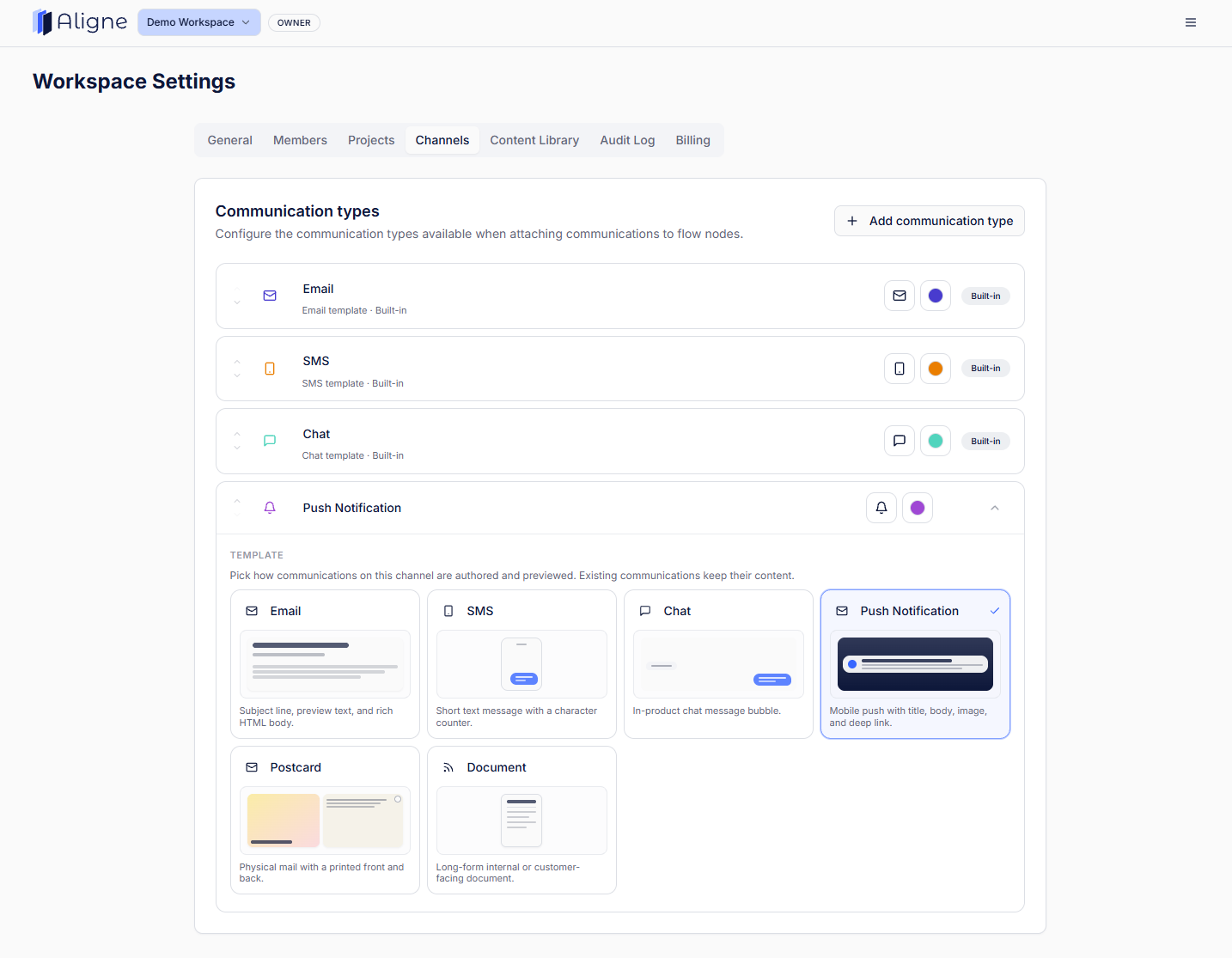
The message itself sits on the step — real email, SMS, push, chat, or internal comms content you can open and read.
Communication status and versions
UXPressia
Maps evolve with the CX programme and its collaborators.
Aligne
Each communication carries Draft or Live status and its own revision history, with notes on what changed.
Review context
UXPressia
Collaboration around the map and the experience it describes.
Aligne
Comments and sign-off sit on the individual communication being reviewed.
Best suited teams
UXPressia
CX, service design, research, product, and organisation-wide experience initiatives.
Aligne
Lifecycle, CRM, retention, and marketing ops teams.
UXPressia is a trademark of its respective owner. Aligne is not affiliated with UXPressia. Descriptions above are a summary of product focus, not an exhaustive feature list — check each product for current capabilities.
When UXPressia is the better choice
If the work is understanding and shaping the customer experience itself, a dedicated CX platform is the right tool.
- Broad customer experience strategy across an entire organisation.
- Persona development and research-driven journey mapping.
- Service blueprints and service design work.
- Visualising the end-to-end experience for executives and cross-functional stakeholders.
- CX programmes where the goal is understanding and aligning on the experience itself.
When Aligne is the better choice
If the journey is communication-heavy, recurring, and owned by the marketing team.
- Lifecycle and CRM programmes where the emails and SMS live in an ESP, and the map lives somewhere else.
- Onboarding, activation, winback, and retention journeys that change every few weeks.
- Teams who need to know which version of a message they have marked Live, and what changed before that.
- Copy reviews where feedback keeps getting separated from the message it belongs to.
- Handoffs between marketing, ops, and stakeholders who were not in the room when the journey was built.
Different layers of the same problem
UXPressia for understanding the experience. Aligne for managing the marketing journey behind it.
Plenty of teams need both. The CX team maps how customers experience the company and where it needs to improve; the lifecycle team then has to run the journeys and the messages that deliver it. Aligne is where that second half lives — steps, communications, Draft and Live status, versions, and review context in one canvas. That is a different job again from general-purpose visual tools like Miro or Lucidchart, where the starting point is flowcharts, but for marketers, and from journey management platforms like TheyDo.
Keep the journey and its messages together.
Map the lifecycle journey, attach the real emails and SMS, and always know which version your team marked Live. Free to start.