Flowcharts, but for marketers.
Map the journey. Add the actual emails, SMS, and communications your customers receive — plus the product screens they see. Know exactly what’s live.
No credit card required.
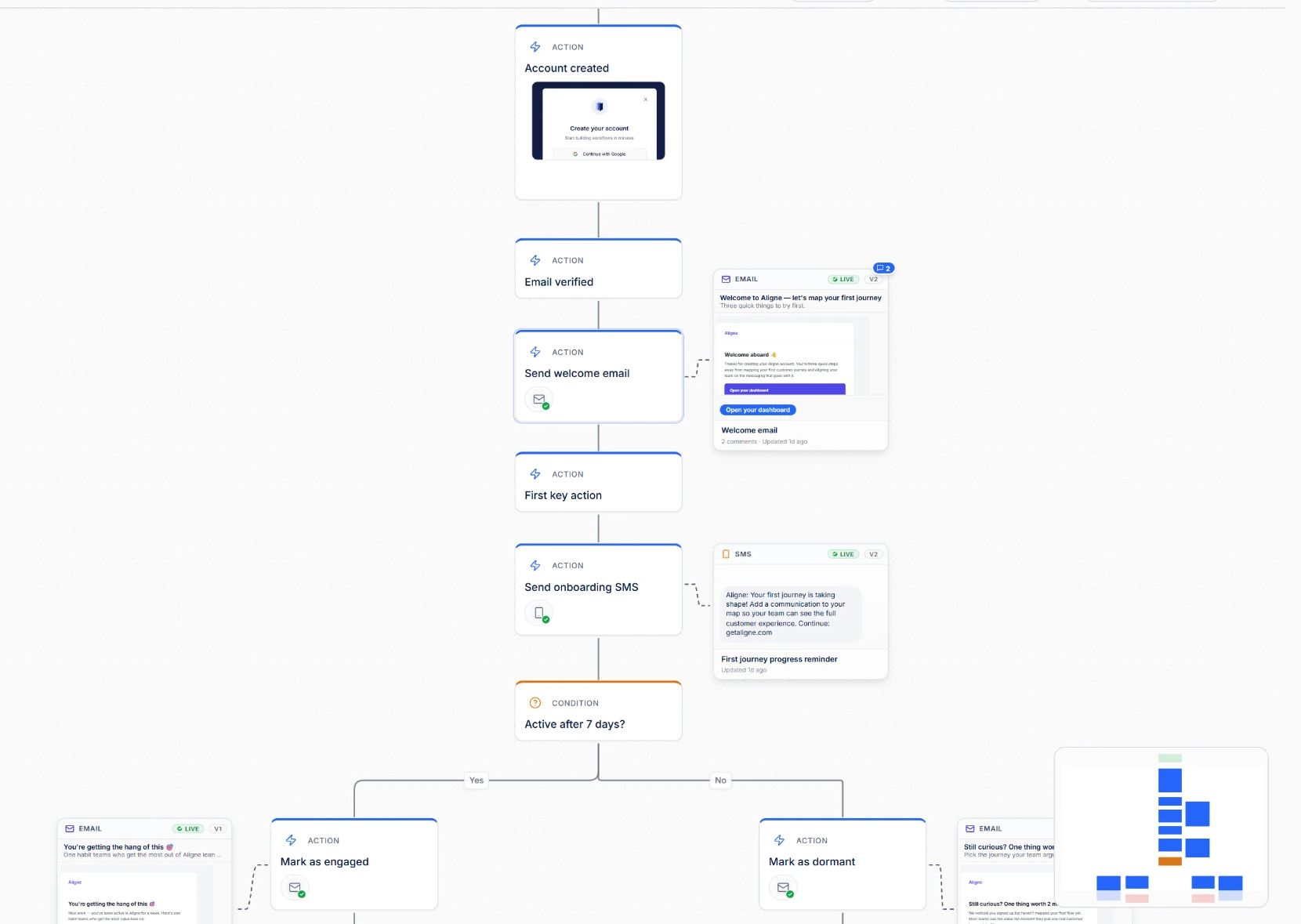
You already draw the journey in boxes and arrows.
The problem isn’t the diagram. It’s that the email inside the box is just… a box.
So when someone asks which version of the welcome email is live, the answer is spread across the journey map, the ESP, a Slack thread, and a doc — and somebody has to go and reassemble it.
A generic diagram tool
- The email is a rectangle labelled "Welcome email".
- The real copy lives in another tool, or a doc, or nowhere.
- No status, no versions, no reviewers.
- Out of date the week after you draw it.
Aligne
- The actual email, SMS, push, chat, or in-app message lives on the step.
- Journey steps can also carry a product screen showing the interface customers actually see.
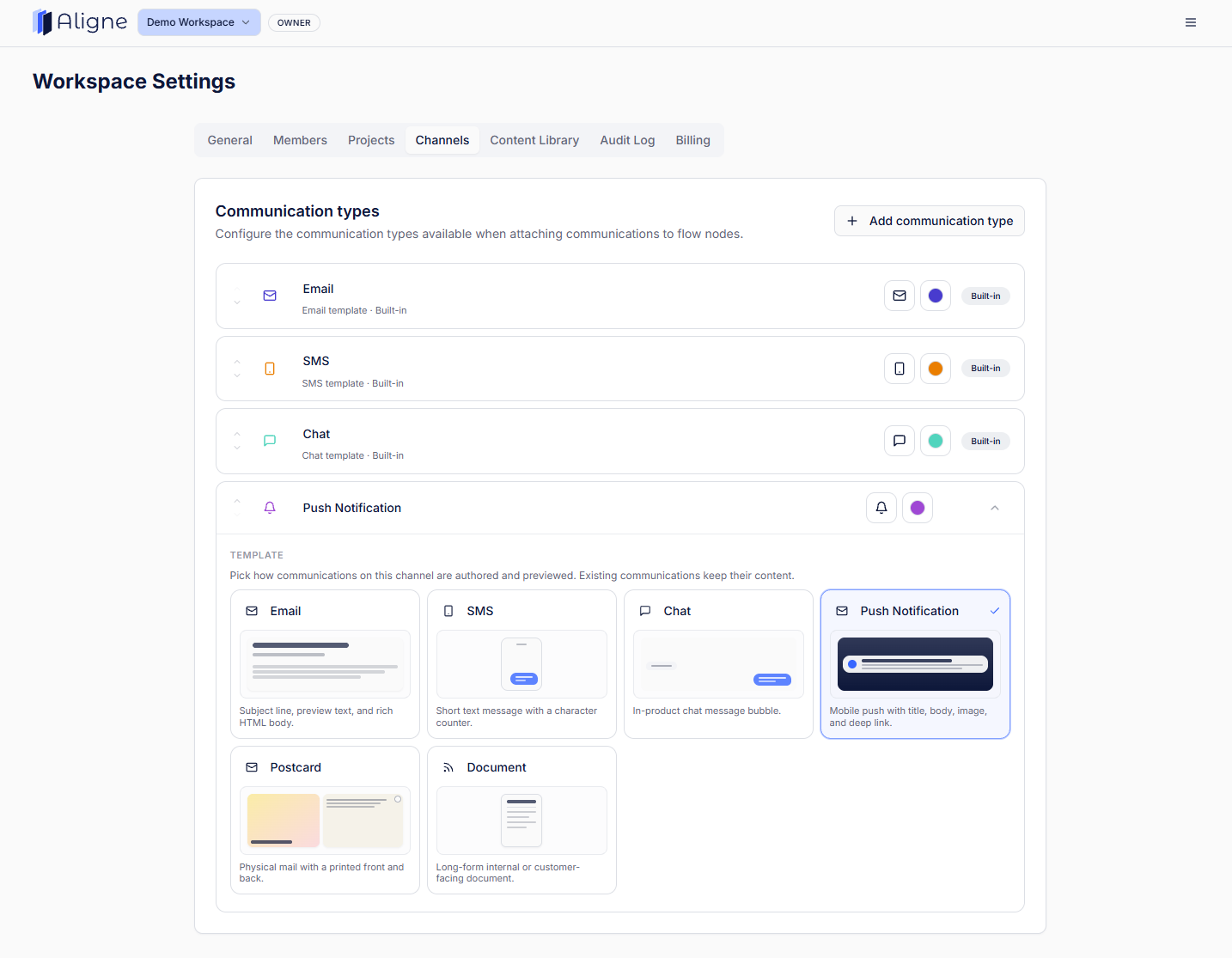
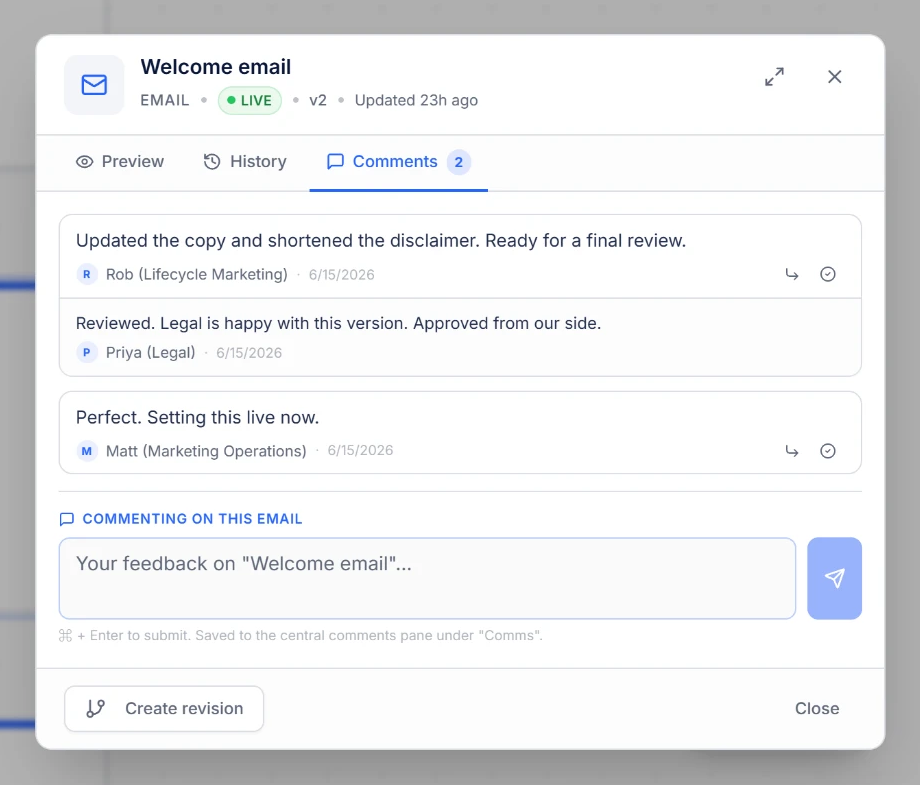
- Every communication carries a type and a Draft or Live status.
- Versions and revision notes are kept as the copy changes.
- Comments and approvals sit next to the message they review.
The difference
Open the step. Read the message customers actually get.
Map workflows and customer journeys with the real emails, SMS, and in-app messages attached to every step — subject line, body, sender, timing, all inside the journey.
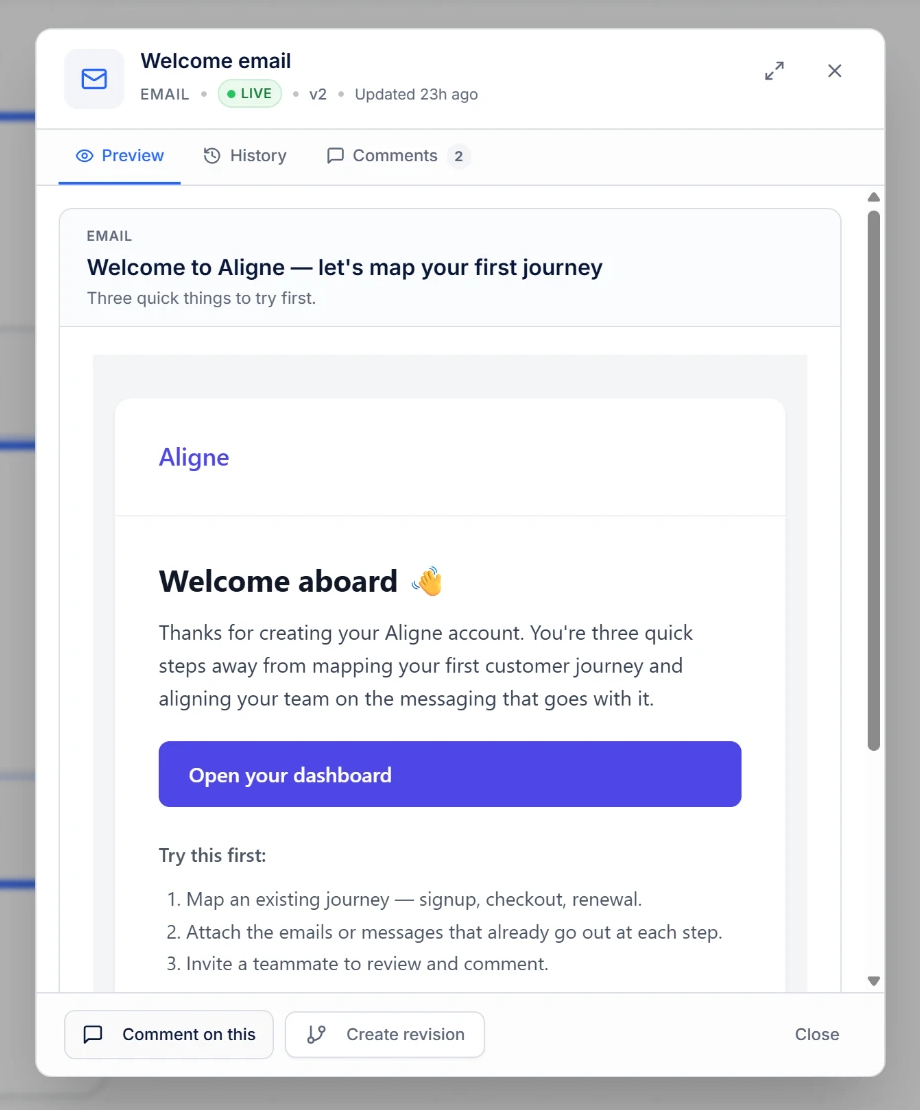
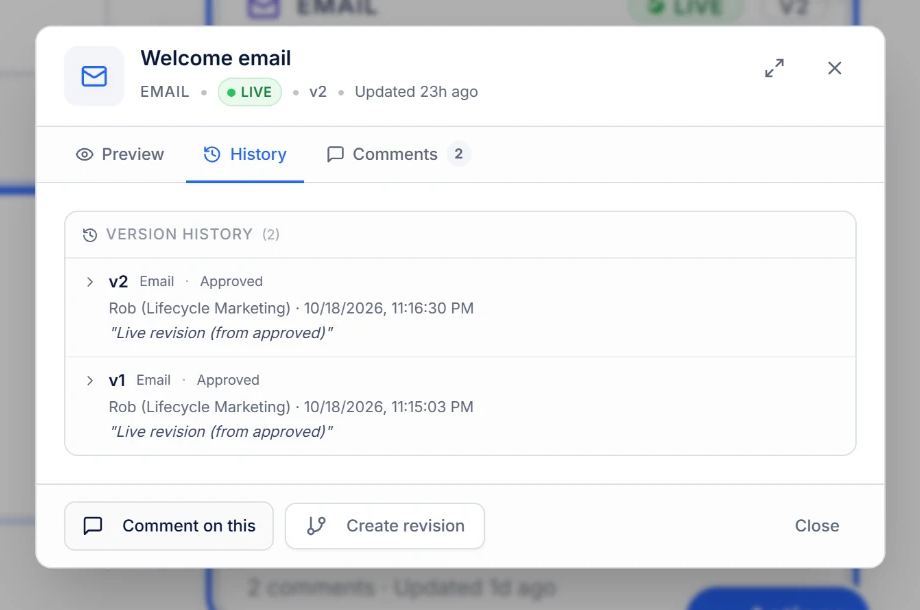
Which version is live?
Can you answer it in 3 clicks? Aligne can.
A flowchart that understands marketing.
Built for Lifecycle, CRM, and Marketing Ops teams. No workarounds, no sticky notes standing in for status.
Communication types
Email, SMS, push, chat, and internal comms.
Draft and Live status
Everyone sees what ships and what is still in progress.
Versions
Each revision kept, with notes on what changed.
Comments and review
Feedback and sign-off next to the copy it belongs to.
Stop rebuilding the journey from four different places.
Map it once, keep the emails and SMS on the steps that send them, and let the team see where every message stands. Free to start.